
Trading journal
A trading journal that records the trade and the context
The Traders Casa trading journal is software for recording, reviewing and analysing your live forex and futures trades. It keeps the trade itself alongside your chart, annotations, partials, tags and notes, then gives you more than 300 ways to filter the resulting data so you can see which parts of your trading are costing you money.
- Chart, partials, tags and notes attached
- Every tradeChart, partials, tags and notes attached
- Filterable analytics over your trade history
- 300+Filterable analytics over your trade history
- Broker sync, CSV import or manual entry
- 3 waysBroker sync, CSV import or manual entry
- Journal, notebook and reports on every session
- DailyJournal, notebook and reports on every session
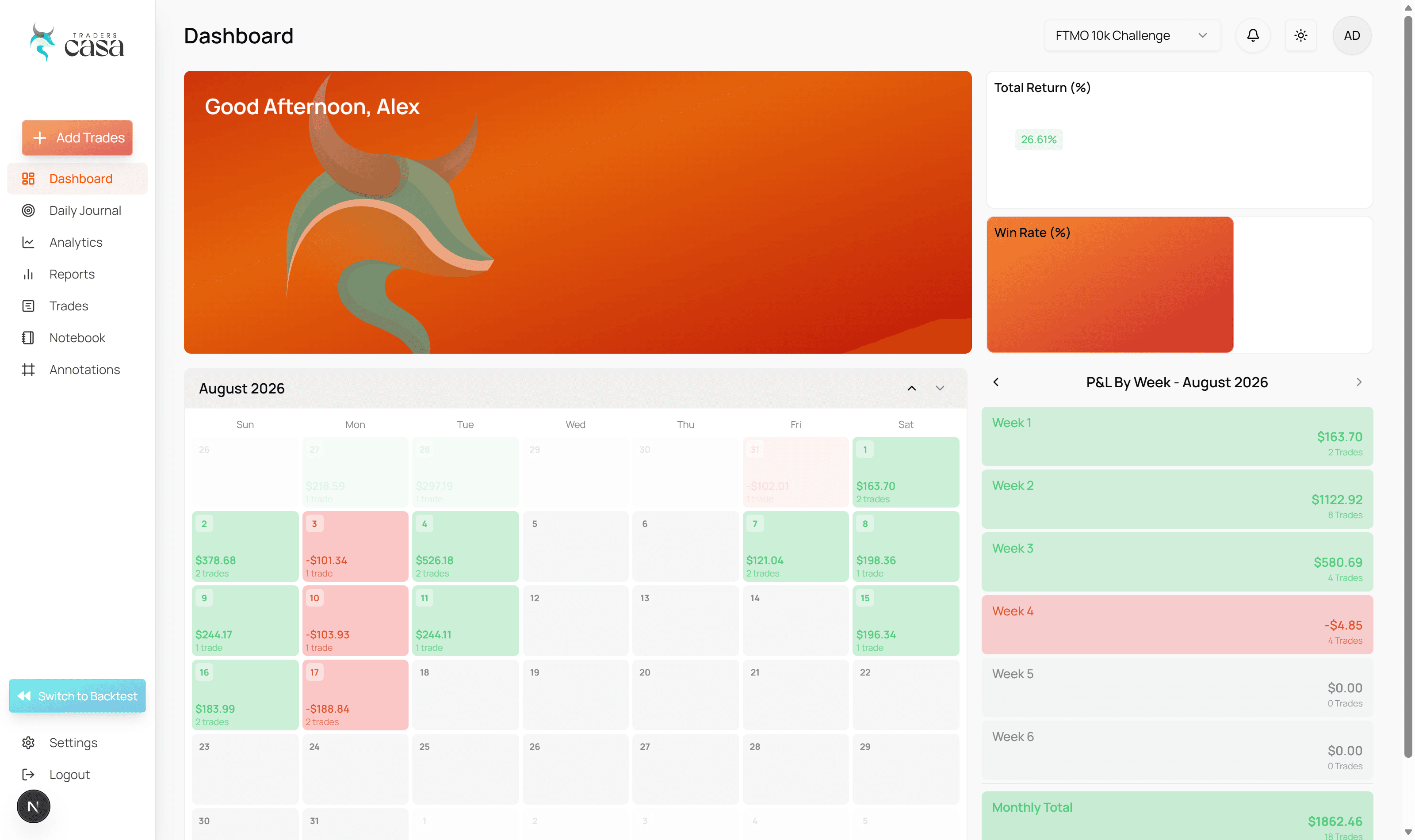
Record more than an entry and an exit
A journal that only stores prices tells you what you did, never why.
A useful trading journal needs to tell you more than what you bought, where you entered and whether the trade won or lost.
Traders Casa keeps the trade together with the context around it, so you are not building a separate filing system around your own trading history.
Chart screenshots
Save the chart as it looked when you took the trade, not as it looks now.
Annotations and tags
Mark up the trade and classify it so you can group it against others later.
Partials
Record scaled entries and exits instead of flattening the trade to one price.
Notes and folders
Longer write ups, organised by strategy, setup, market or whatever you are working on.
That matters when you come back to a trade weeks later. Instead of seeing a row in a spreadsheet and trying to remember what you were thinking, you have the chart and the record around it. You can see how you managed the position, what you noticed at the time and how you classified the trade.
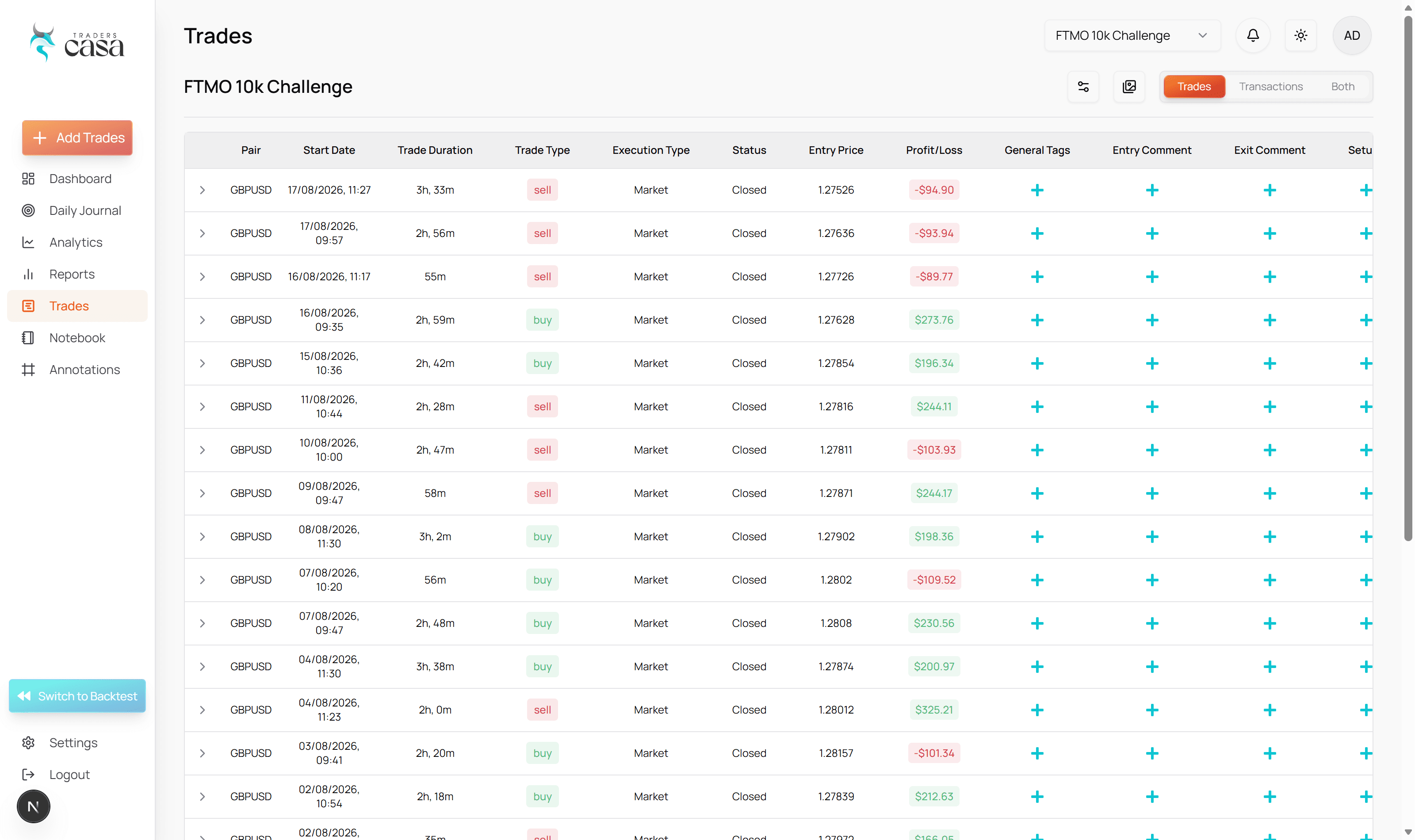
The result is a journal you can actually review, rather than a spreadsheet that slowly turns into an incomplete trade log.
Get your trades in three ways
The journal only works if the trades reach it consistently.
Broker Sync
Connect MetaTrader 5 and bring supported trade data in automatically. Traders Casa supports more than 140 MT5 broker servers, which cuts the manual work between placing a trade and having it ready to review.
CSV import
Bring existing records in from wherever they live now, without rebuilding months of trading one position at a time.
Manual entry
Useful when your broker is not supported, when you want full control over what gets recorded, or when a trade did not arrive through another route.
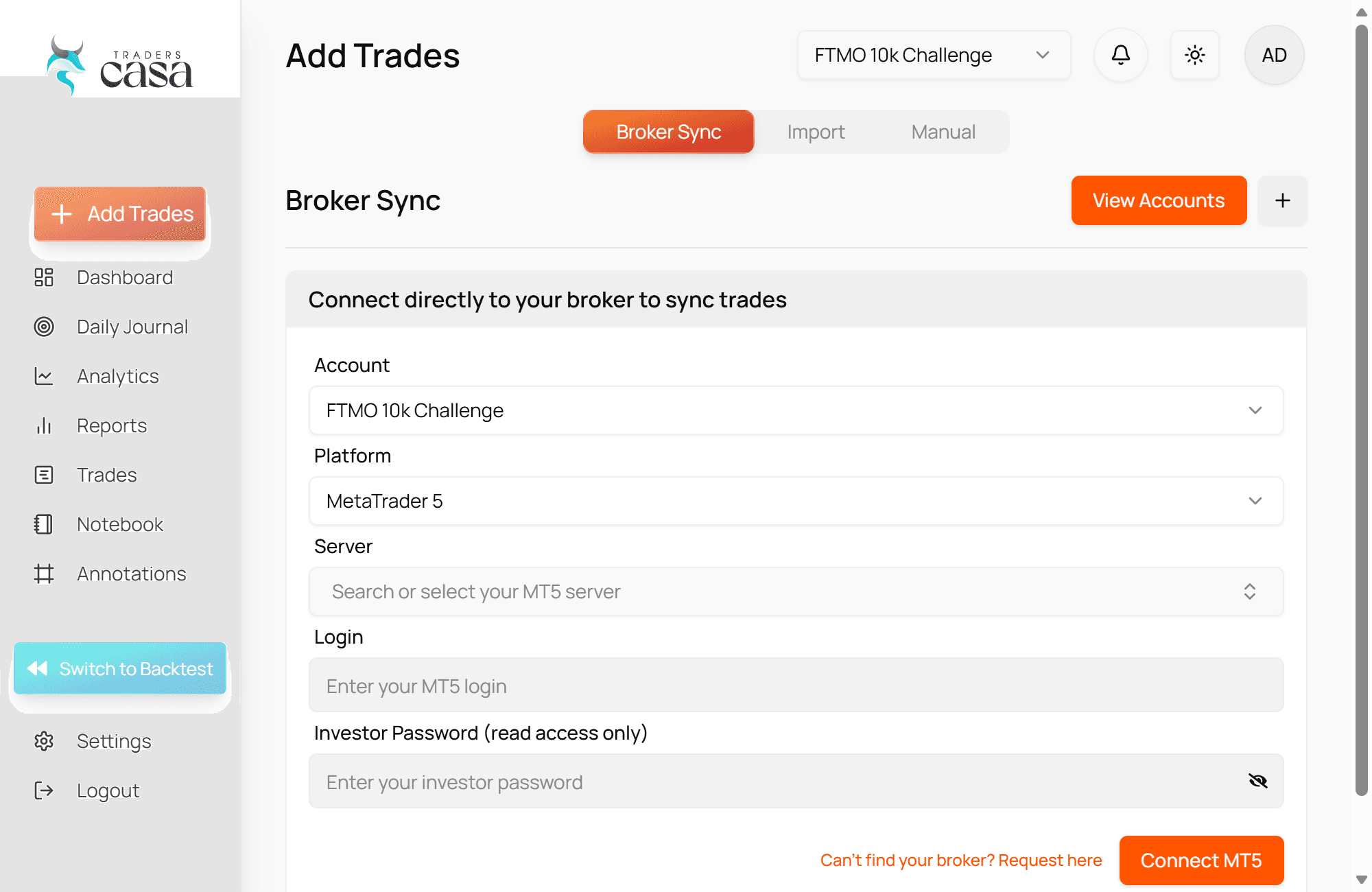
Once the trade is there, you add the information that makes the record useful to you. You spend less time maintaining a spreadsheet and more time reviewing the decisions the spreadsheet was supposed to help you understand.
Review the day, not just the trade
Some of what goes wrong never shows up inside a single position.
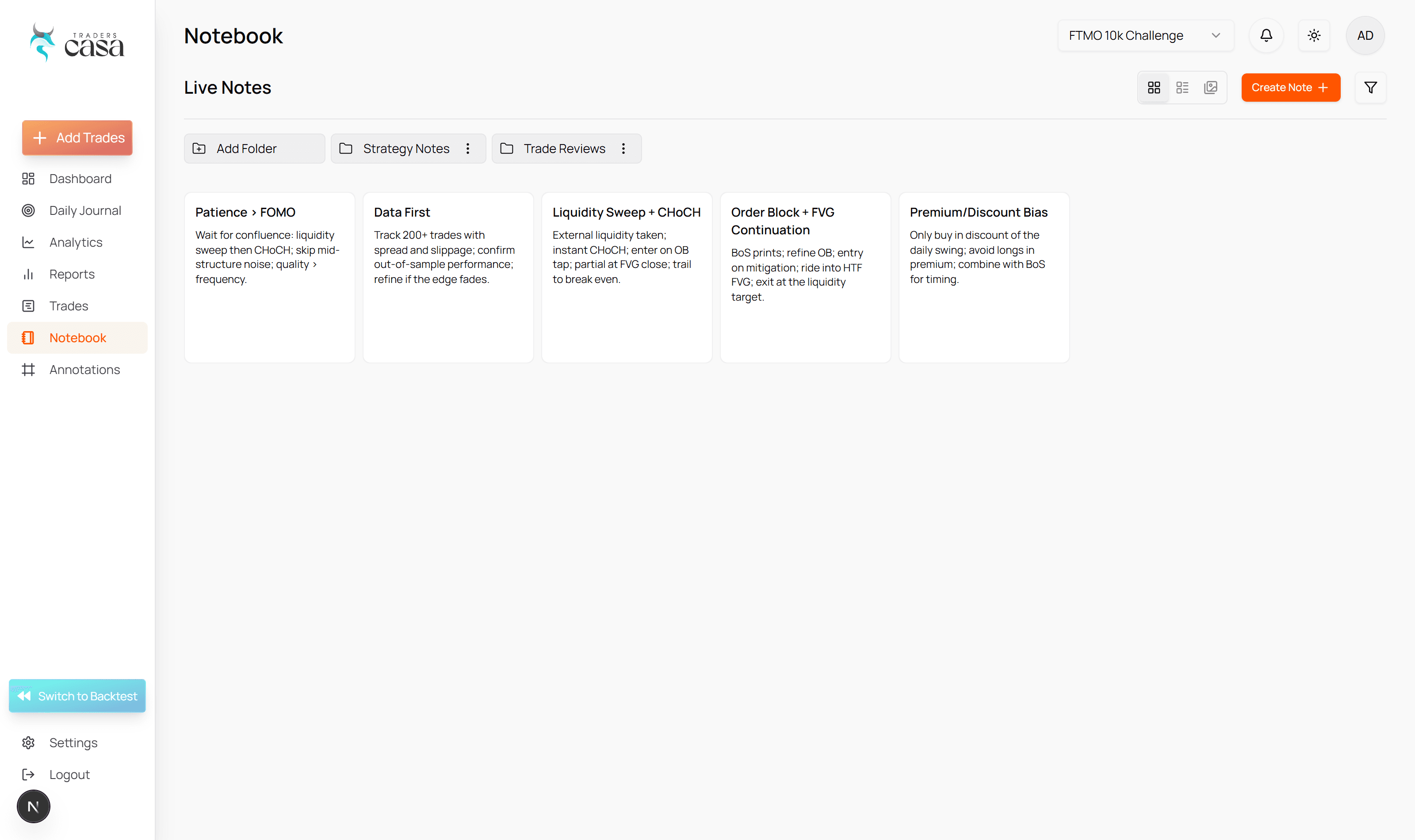
The daily journal gives you somewhere to record what happened across the session, not just inside individual positions. Your live notebook lets you capture observations while you trade, and folders keep longer notes organised when you want to separate strategies, setups, markets or areas you are working on.
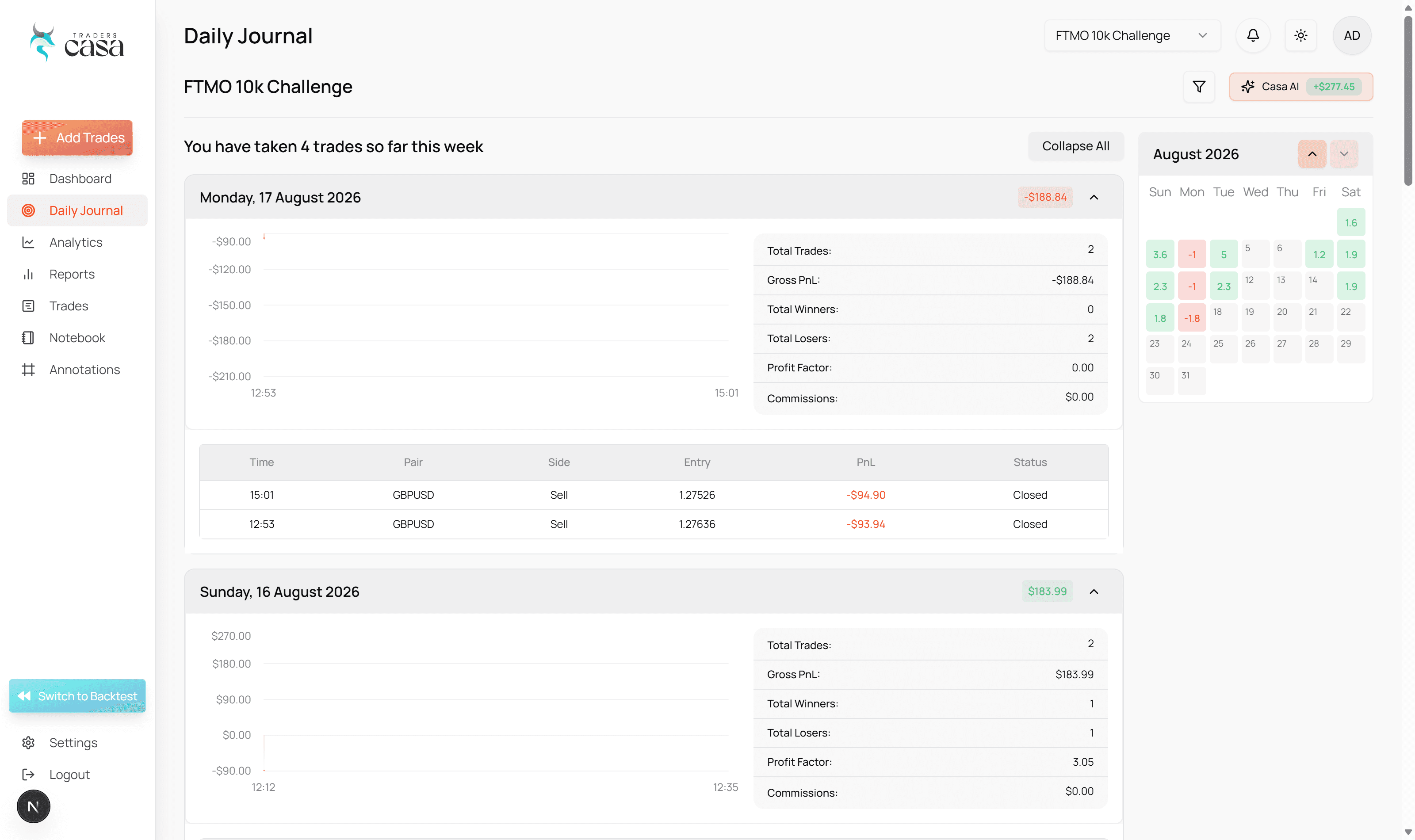
Turn your trading history into specific answers
After a few dozen recorded trades you have a dataset, not just a memory.
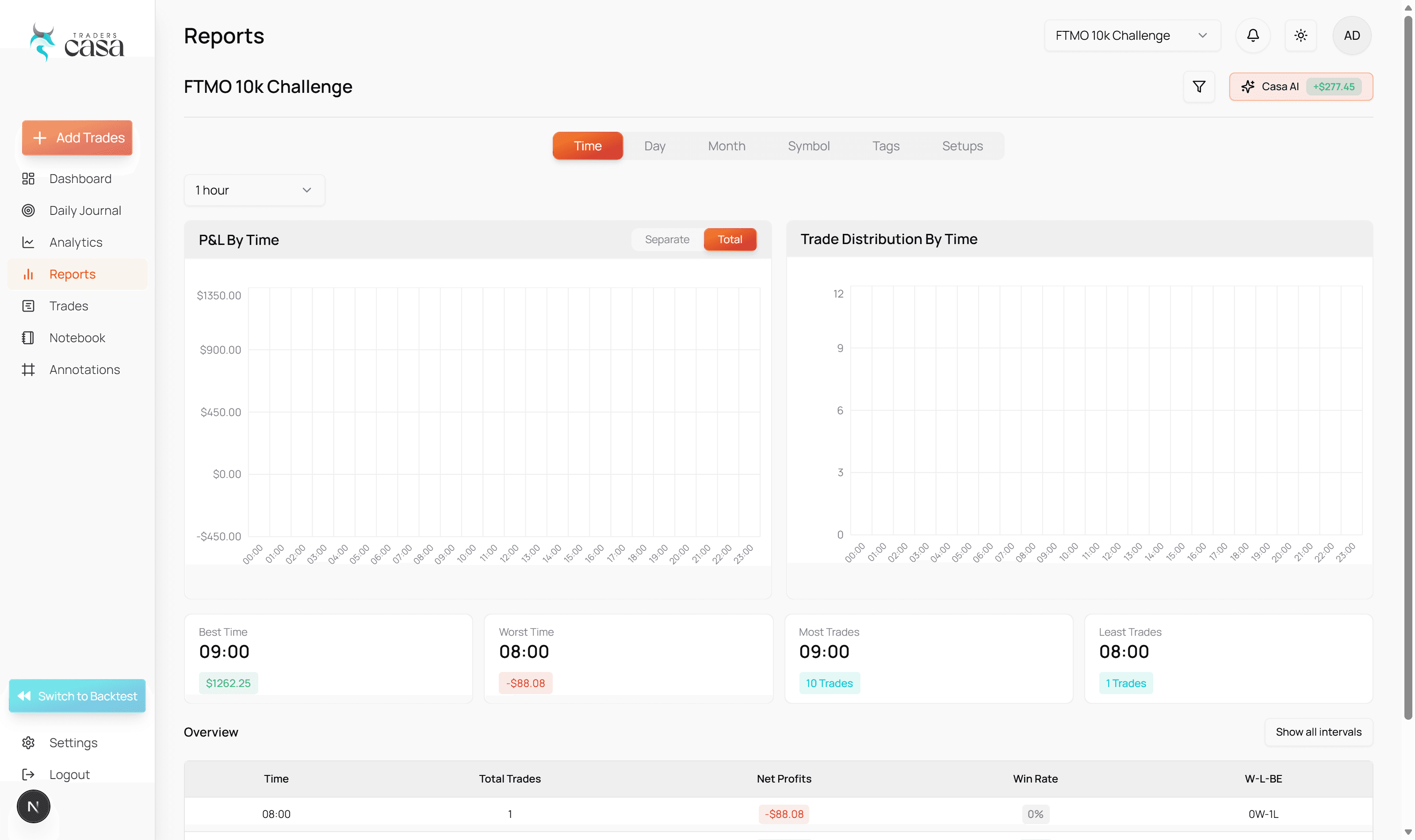
Traders Casa provides more than 300 filterable analytics so you can break your trading history down instead of judging everything from your overall P&L.
Which setups lose money
Filter by setup and compare, rather than guessing from the last few trades.
Which tags keep appearing
Find the labels that cluster on your worst trades.
Which conditions change results
Isolate sessions, pairs or market states and see whether they behave differently.
What drags down a sound approach
Separate a broken strategy from one part of your process going wrong.
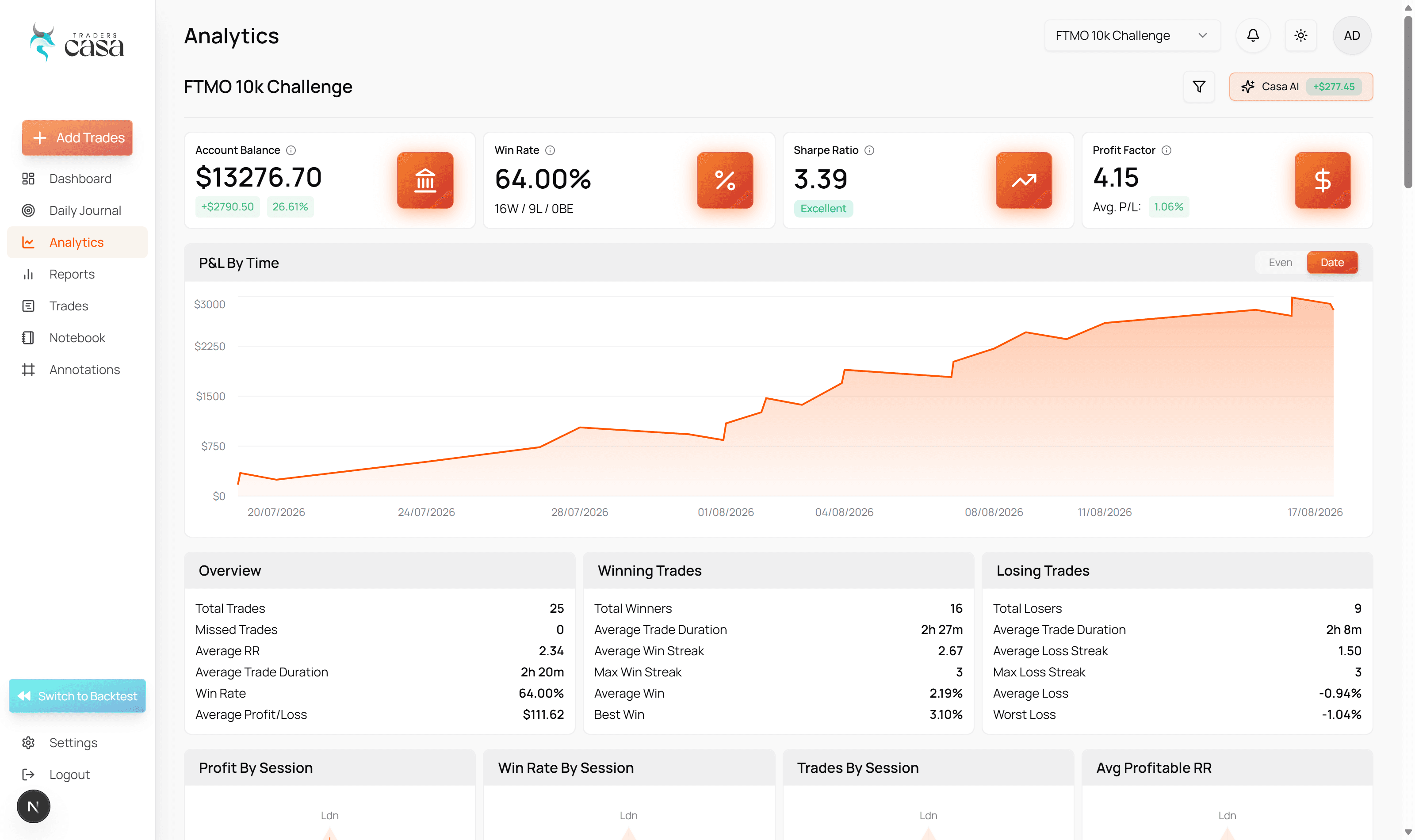
The point is not another dashboard full of statistics. The point is to move from, "I think this is a problem," to a specific list of behaviours, setups or conditions worth investigating.
That is difficult when records are incomplete. It is almost impossible when the details are split between broker history, screenshots, a notes app and a spreadsheet you stopped updating two weeks ago.
To be clear
This does not promise that journalling will make you profitable. It gives you a clearer record of what you actually did, so you can make decisions from evidence instead of memory.
Your backtests journal the same way
Secondary to the live journal, but it is what the live record gets compared against.
Traders Casa started as backtesting software, and backtested trades get much the same treatment as live ones: tags, partials, chart screenshots, notes, and their own reports and notebook.
That matters mainly because both records sit in one product. If your backtest says a setup behaves one way but your live journal shows something different, you have a useful question to investigate, rather than the vague conclusion that live trading "felt different".
Who it is for
Traders Casa is for retail forex and futures traders who already take live trades and want a consistent record of what they are doing.
It is particularly useful if your current journal is a spreadsheet, a collection of screenshots, scattered notes or nothing at all, and you want to spend less time maintaining records while getting more specific about what those records are telling you.
Trading journal FAQs
Is the trading journal free?
No. Live trade journalling is included in Traders Casa Pro, which costs $30 per month or $24 per month when billed annually. Free and Basic are for backtesting and do not include the live trading journal. You can start with a free Traders Casa account, but you will need Pro to use the live journalling features described on this page.
Does Traders Casa automatically journal my trades?
It can automatically bring supported trade data into the journal through Broker Sync where your broker and platform connection allow it. You can then build on that record with the context that matters to your review, including tags, screenshots, annotations and notes. If automatic sync is not available for your account, CSV import and manual trade entry are also available.
Does the trading journal work with MetaTrader 5 and my broker?
Traders Casa Broker Sync supports MetaTrader 5 and more than 140 broker servers. If your MT5 broker is supported, your trade data can be brought into Traders Casa without manually copying each position into your journal. Broker Sync is not the only route, so you can still use CSV import or manual entry when a direct connection is unavailable.
How many trades do I need before the analytics become useful?
There is no universal number at which a trading journal suddenly becomes statistically meaningful. As a practical starting point, Traders Casa becomes more useful once you have a few dozen consistently recorded trades to filter and compare. More data gives you more context, but consistency matters too. An incomplete record can hide the same patterns you are trying to find.
How is Traders Casa different from other trading journal software?
The main difference is that your backtests and live trades can sit in the same journal. Instead of testing a strategy in one tool and recording real execution in another, you can test, record, compare, refine and retest inside Traders Casa. That makes it easier to investigate the gap between how a strategy behaved in testing and how you actually traded it live.
More features
All features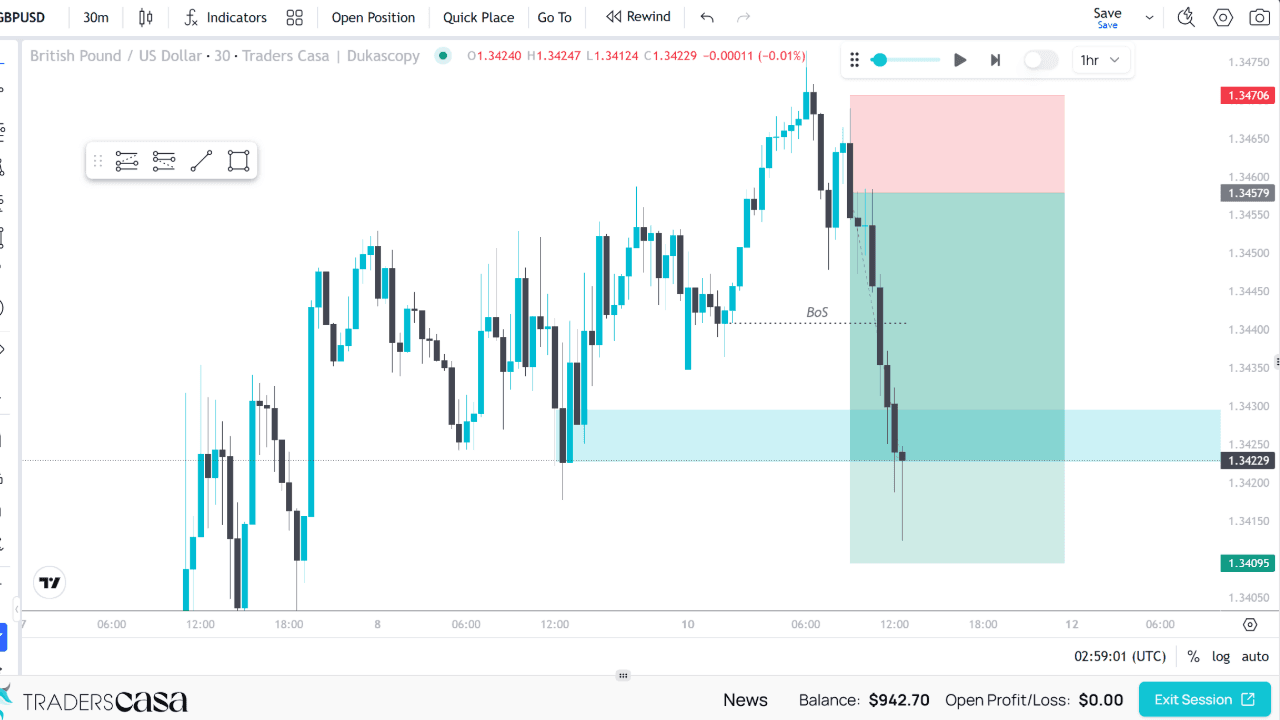

Start on the free plan
Unlimited backtest sessions on TradingView powered charts, and the free plan never expires. Upgrade when you need the rest.